Compose game music from a scene, mood, genre, and instrument list

AI Game Music Generator for Royalty-Free Soundtracks

Turn a game scene into original soundtrack music with Lyria or Suno v5.5. Create instrumental background music by default, add your own lyrics when needed, and receive every track returned by the selected engine for a fixed 4 credits.

AI Game Music Generator
0/800

Enabled by default. Turn it off to supply your own lyrics; this tool does not write lyrics automatically.

60s

Request 1 to 240 seconds from Lyria; the default is 60 seconds. The provider may adjust the delivered track length.

Leave blank to let Lyria choose the tempo.

4 credits
Soundtrack Results
Every track returned by the selected engine appears here with all available audio formats.

Build a soundtrack from your game scene

Choose an engine, describe the scene, mood, genre, and instruments, then generate. Instrumental mode is enabled by default.

Real APIMart generations

Listen to Lyria and Suno Game Music

These four public examples were generated through the same APIMart music endpoints used by the composer: two with Lyria and two with Suno v5.5.
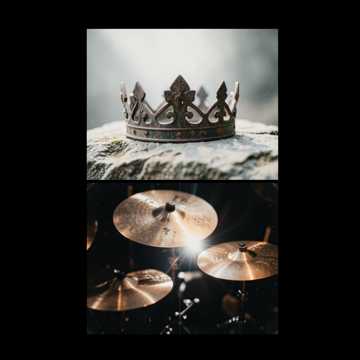
Iron Crown Duel

Iron Crown Duel

Boss Battle

suno2:38
0:00
Crystal Vale Expedition

Crystal Vale Expedition

RPG Exploration

lyria1:00
0:00
The Hollow Below

The Hollow Below

Horror Ambience

lyria1:59
0:00
Mossy Market Path

Mossy Market Path

Cozy Village

suno1:00
0:00
Logo

What Is an AI Game Music Generator?

A game soundtrack generator turns a written creative direction into music you can preview, download, and organize with your project.

What Is an AI Game Music Generator?
SpriteFlow's AI game music generator helps developers create royalty-free music for RPG exploration, boss battles, cozy villages, sci-fi combat, horror ambience, main menus, and other gameplay moments. Describe the scene, emotional arc, genre, instruments, tempo, and production style; the selected music engine then composes a new track from that direction. Choose Lyria to request a duration from 1 to 240 seconds, set an optional BPM, and use advanced seed controls. The provider may adjust the delivered track length. Choose Suno for the fixed v5.5 model and a polished song or soundtrack workflow. Instrumental mode is enabled by default for game background music. If a scene needs vocals, turn Instrumental off and enter your own lyrics—SpriteFlow does not insert an extra lyric-writing step. Each request costs exactly 4 credits, independent of Lyria duration or the number of tracks returned. SpriteFlow displays and saves every usable track from the provider, including the standard audio file, an available WAV rendition, and available cover art. Completed audio is organized directly within your Gallery and Project workspaces, making it easy to pair with custom SFX from the AI Game Sound Effect Generator or 2D sprites from the 8-Direction Sprite Generator. If no usable track is delivered, the 4-credit generation charge is refunded; a partial delivery remains a completed generation. Royalty-free support is subject to SpriteFlow's terms, the selected provider's current terms, and the distribution rules for your game or platform.

Generate Game Music in 3 Steps

Choose an engine, direct the soundtrack, then audition every track and download the formats you need.

01

Choose Lyria or Suno

Start with the default Lyria engine for duration and tempo control, or choose Suno v5.5. Both engines cost the same fixed 4 credits per generation.

Choose Lyria or Suno
02

Describe the Game Scene

Write the scene, mood, genre, instruments, pacing, and musical arc. Use one of six quick starts for RPG exploration, boss battles, cozy villages, sci-fi combat, horror ambience, or a main menu, then adapt it to your game.

Describe the Game Scene
03

Preview, Save, and Download

Keep the page open or return after a refresh while the Workflow finishes. Every delivered track appears with its available standard audio, WAV, and cover, and is also saved into Gallery and the active Project.

Preview, Save, and Download

Game Soundtrack Controls Without a Complicated Audio Workflow

Choose the engine that fits the cue, shape the musical direction, and keep every delivered track together in Gallery and Projects.

Lyria and Suno v5.5 Engine Choice

Lyria and Suno v5.5 Engine Choice

Use Lyria by default when timing, BPM, and seed matter, or switch to Suno v5.5 for a song-oriented soundtrack workflow. The Suno version is fixed so there is no model-version decision to manage.

Instrumental First, Lyrics When You Supply Them

Instrumental First, Lyrics When You Supply Them

Generate instrumental game music by default for levels, menus, cutscenes, and combat. Turn Instrumental off to use lyrics you write yourself; the tool does not silently generate or rewrite lyrics.

Lyria Duration, BPM, and Seed

Lyria Duration, BPM, and Seed

Set Lyria from 1 to 240 seconds with a 60-second default, leave BPM open for automatic tempo selection, or enter a tempo when the cue must match a design target. Seed stays in Advanced Settings.

Every Delivered Track and Format

Every Delivered Track and Format

Preview every usable track returned by the music engine. SpriteFlow saves standard audio, an available WAV rendition, and available cover art, then exposes each track as its own Gallery and Project item.

Why Game Developers Use SpriteFlow for AI Music

The workflow is designed around game cues, predictable credits, durable storage, and transparent delivery rules.

Six Practical Game-Music Starting Points

Begin from RPG exploration, boss battle, cozy village, sci-fi combat, horror ambience, or main menu prompts instead of an empty field. Each can be edited for a specific world, level, or gameplay state.

Fixed 4-Credit Generation Cost

Every request costs 4 credits. Lyria duration and the provider's returned track count do not change the charge, so the cost is visible before you submit.

All Usable Results Are Preserved

The page does not discard additional provider results. Every usable track is mirrored, displayed, and registered as a separate item with its related WAV and cover renditions.

Automatic Refund When Nothing Is Delivered

If the provider rejects the task, processing fails, the task times out, or no usable track can be saved, the linked 4-credit usage charge is refunded. Partial success is delivered without a refund.

Refresh-Safe Workflow Processing

Provider polling runs in the server Workflow instead of depending on an open browser tab. The page restores the active record after refresh, while Gallery and Projects retain completed audio.

Royalty-Free Game Music Support

Generated music is supported for royalty-free use in game projects under SpriteFlow's terms and the selected provider's current terms. Review the terms that apply to your account and release; standalone music resale or sublicensing may be restricted.

Create Royalty-Free Music for Your Game

Choose Lyria or Suno v5.5 and turn your next level, battle, village, menu, or cinematic into a soundtrack. Each generation costs a fixed 4 credits.

AI Game Music Generator FAQ

Engines, instrumental music, lyrics, duration, credits, formats, refunds, and royalty-free use explained.

What can this AI game music generator create?

It can create game background music, soundtrack cues, and OST concepts for RPG exploration, combat, bosses, villages, menus, sci-fi levels, horror scenes, cutscenes, puzzles, and more. A useful prompt names the scene, emotion, genre, instruments, pace, and desired musical arc.

Should I choose Lyria or Suno for game music?

Choose Lyria when you want to request a duration from 1 to 240 seconds, set an optional BPM, and use a seed setting. The provider may adjust the delivered track length. Choose Suno when you prefer its fixed v5.5 song and soundtrack generation workflow. Lyria is selected by default, and both engines cost 4 credits per request.

Can I generate instrumental game music or music with lyrics?

Yes. Instrumental is enabled by default for game background music. Turn it off to enter lyrics manually. SpriteFlow sends the lyrics you provide and does not use a separate AI call to write lyrics for you.

How long can generated game music be?

Lyria accepts a requested duration from 1 to 240 seconds and defaults to 60 seconds, but the provider may adjust the delivered track length. Suno v5.5 determines its own delivered track duration, so the page does not show a duration control when Suno is selected.

How many credits does one game music generation cost?

Every generation costs exactly 4 credits, regardless of Lyria duration and regardless of how many tracks the provider returns. If no usable track is delivered, the 4-credit charge is refunded automatically. If at least one track succeeds, all successful tracks are delivered and the generation is not refunded.

Which game music files can I preview and download?

SpriteFlow displays every usable track returned by the selected engine. Each track includes its standard audio file and, when supplied by the provider, a WAV rendition and cover art. The files are mirrored to SpriteFlow storage and appear as separate Gallery and Project items.

Is the generated game music royalty-free?

SpriteFlow supports royalty-free use of generated music in game projects, subject to SpriteFlow's terms, the selected provider's current terms, and the rules of the store or platform where you release your game. Royalty-free does not automatically mean unrestricted ownership or permission to resell, redistribute, or sublicense a track as a standalone music file.

Will my music task continue if I refresh or close the page?

Yes. A server Workflow owns provider polling and processing, so generation does not depend on the browser staying open. The composer restores the active record after a refresh, and completed tracks remain available in Gallery and Projects. The maximum processing window is 15 minutes, and no cancel button is shown because the provider does not expose a cancellation endpoint for these tasks.

How can I create seamless loops or import generated tracks into Unity, Godot, or Unreal Engine?

Every delivered track includes high-quality audio and an available WAV rendition that can be easily edited or crossfaded into seamless loops using your preferred DAW or audio editor. By setting an optional BPM with Lyria, you can match your track's exact tempo to interactive audio engines or middleware such as FMOD and Wwise. To build a complete game audio pipeline, you can also pair your soundtracks with one-shot and looping audio from SpriteFlow's AI Game Sound Effect Generator.

Can I organize game music alongside my character sprites and game assets?

Yes. Every completed track is automatically saved to your SpriteFlow Gallery and active Project folder. You can organize your soundtrack cues, character turnarounds from the 8-Direction Sprite Generator, and sound effects within the same unified game project.